Use the DLIMS Punjab Checker on Sim Owners to verify your driving license status online. Quick, free, and accurate — check your Punjab driving license in seconds from home.
Basic Information Table
| Detail | Information |
|---|---|
| Tool Name | DLIMS Punjab Checker |
| Full Form | Driving License Issuance & Management System |
| Province | Punjab, Pakistan |
| Purpose | Online driving license verification & status check |
| Available On | Sim Owners (simowners.pk) |
| Cost | Free to use |
| Access | Web-based, mobile-friendly |
| Authority | Punjab Safe Cities Authority / Punjab Traffic Police |
What Is the DLIMS Punjab Checker?
If you live in Punjab and have a driving license, you’ve probably wondered at some point — is my license still valid? Or maybe you just want to double-check your details before a long road trip. That’s exactly where the DLIMS Punjab Checker comes in.
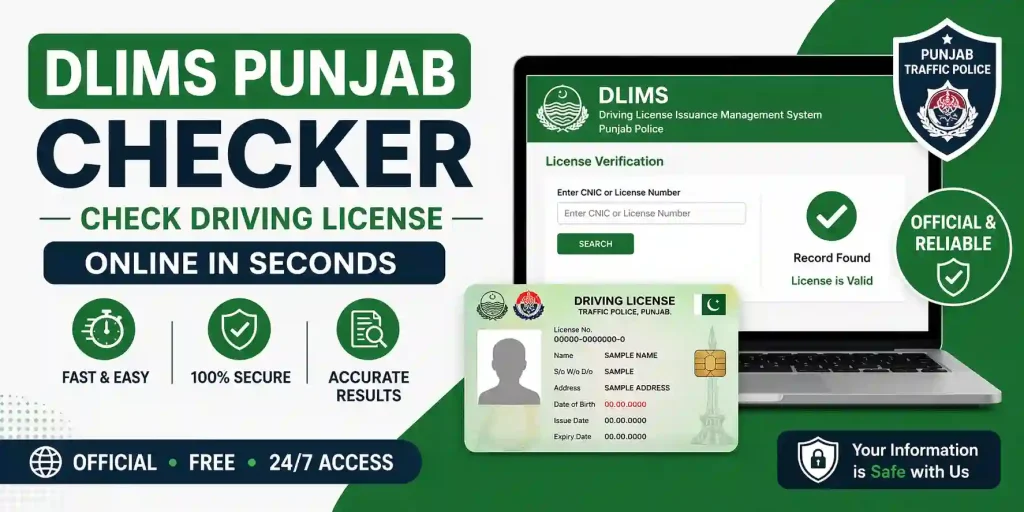
DLIMS stands for Driving License Issuance & Management System. It’s the official digital system managed by the Punjab government to issue, renew, and track driving licenses across the province. The checker tool on Sim Owners gives you a quick and easy way to access this system — without going to any office or waiting in long queues.
Whether you’re a new driver checking your fresh license or someone whose license is about to expire, this tool saves you time, effort, and unnecessary hassle. Best of all, it’s completely free to use and works smoothly on your phone too.
Why Was DLIMS Introduced in Punjab?
Before DLIMS, getting or renewing a driving license in Punjab was a long and paper-heavy process. People had to visit motor registration offices, stand in queues, and wait for days — sometimes even weeks. The Punjab government introduced the DLIMS system to fix all of that.
The main goals behind DLIMS were simple:
- Make the license process faster and more transparent
- Reduce the chances of fake or duplicate licenses
- Allow citizens to check their license status online
- Create a centralized digital database for Punjab driving records
- Support road safety by ensuring only valid, trained drivers are on the roads
Today, the system covers all major cities in Punjab — including Lahore, Faisalabad, Multan, Rawalpindi, Gujranwala, and more.
How to Use the DLIMS Punjab Checker on Sim Owners
Using the DLIMS checker on Sim Owners is straightforward. Here’s a simple step-by-step guide:
Step 1: Visit the Website
Open your browser and go to simowners.pk. Look for the DLIMS Punjab Checker tool in the menu or tools section.
Step 2: Enter Your License Number or CNIC
Once you find the tool, enter your driving license number or your CNIC number in the required field. Make sure the numbers are correct — a small mistake can show wrong results.
Step 3: Click Check / Verify
Hit the Check or Verify button. The system will pull your record from the DLIMS database in just a few seconds.
Step 4: View Your Results
You’ll instantly see your license details, including your name, license status (active or expired), validity dates, and license category. That’s it — no signup, no login, no waiting.
Pro Tip
Always keep your CNIC number handy when using the DLIMS Punjab Checker. It’s the fastest way to pull up your accurate license record.
Required Documents for Driving License in Punjab
If you’re applying for a new driving license (or renewing one) through the DLIMS system, here’s what you’ll typically need:
| Document | Details |
|---|---|
| Original CNIC | Valid national identity card (original + copy) |
| CNIC Copy | Attested photocopy of your CNIC |
| Passport-size Photos | Usually 2–4 recent passport-size photographs |
| Medical Certificate | Fitness certificate from a registered medical officer |
| Blood Group Report | Mentioned on some license types for safety purposes |
| Token / Fee Challan | Payment proof of the license fee (varies by category) |
| Learner’s License (if applicable) | For fresh applicants after passing the learner’s test |
Note: Requirements can vary slightly depending on your district office and the license category (motorcycle, car, heavy vehicle, etc.). Always confirm with your local Motor Registration Authority before visiting.
Types of Driving Licenses in Punjab
Punjab’s DLIMS system covers multiple categories of driving licenses. Knowing which type you need (or already have) helps you understand your verification results better:
- Motorcycle License — For two-wheelers (the most common in Punjab)
- Light Vehicle License (LTV) — For cars and small private vehicles
- Heavy Transport Vehicle (HTV) — For trucks and large transport vehicles
- Public Service Vehicle (PSV) — For buses, vans, and rickshaws used commercially
- Learner’s License — A temporary license for new drivers in training
When you use the DLIMS Punjab Checker, it shows which category your license belongs to — so there’s no confusion about what you’re legally allowed to drive.
Benefits of Using the DLIMS Punjab Checker
There are a lot of good reasons why people use this tool every day. Here are some real, practical benefits:
- Check license validity from home — No need to visit any government office
- Completely free — No charges, no hidden fees
- Works on mobile — Check from your phone anytime, anywhere
- Instant results — Results show up in seconds
- Detect expired licenses — Know before you drive if your license needs renewal
- Avoid fines — Driving with an expired license can result in penalties; staying informed helps you avoid this
- Verify before buying a car — If you’re buying a vehicle, you can verify the seller’s license details for added trust
- Simple interface — Even if you’re not tech-savvy, the tool is easy to use
Who Can Use the DLIMS Punjab Checker?
This tool is useful for a wide range of people across Punjab:
- Private car and motorcycle owners wanting to verify their own license
- Employers hiring drivers for commercial or personal use
- Families checking a driver’s credentials before hiring
- Road safety authorities and traffic wardens for quick verification
- Learners who have recently applied and want to check their status
- Citizens who want to ensure their license is registered correctly in the system
Common Issues and What to Do
My license details are not showing up
This can happen if your license was recently issued and the database hasn’t updated yet. Wait 24–48 hours and try again. If it still doesn’t show, contact your local Motor Registration Authority.
The information shown is incorrect
If you see wrong data (like a wrong name or expired status that shouldn’t be), visit the nearest driving license office with your original documents and request a correction.
The system shows my license as expired
This simply means it’s time to renew. You can visit the DLIMS office or an authorized center in Punjab to renew your driving license. Don’t delay — driving with an expired license is a traffic violation.
External Resource — Official DLIMS Website
For the most official and up-to-date information, you can also visit the official DLIMS Punjab website at dlims.punjab.gov.pk. This is the government’s own platform where you can apply, renew, and check your license status directly.
Contact Details
| Department | Contact / Info |
|---|---|
| Punjab Traffic Police Helpline | 1915 |
| Punjab Safe Cities Authority | www.psca.gop.pk |
| DLIMS Official Portal | dlims.punjab.gov.pk |
| Sim Owners Tool (DLIMS Checker) | simowners.pk |
| Punjab Police Website | www.punjabpolice.gov.pk |
| National helpline (NADRA) | 051-111-786-100 |
Frequently Asked Questions (FAQs)
What is the DLIMS Punjab Checker and how does it work?
The DLIMS Punjab Checker is a free online tool available on Sim Owners that lets you verify your Punjab driving license status. You enter your CNIC or license number, and the tool pulls your record from the official DLIMS database in seconds.
Is the DLIMS Punjab Checker free to use?
Yes, completely. There are no fees, registrations, or subscriptions needed. Just visit simowners.pk and use the tool for free.
Can I check someone else’s driving license using this tool?
Yes, you can check any Punjab driving license by entering the correct license number or CNIC. This is useful for employers or families hiring a professional driver.
What information does the DLIMS checker show?
The tool typically shows the license holder’s name, CNIC, license number, issue date, expiry date, license category, and current status (active or expired).
What should I do if my driving license is shown as expired?
Visit your nearest driving license office or authorized DLIMS center in Punjab to renew it. Make sure to bring your CNIC, original license, and other required documents.
Does the DLIMS Punjab Checker work on mobile phones?
Absolutely. The tool on simowners.pk is mobile-friendly, so you can check your license status from any smartphone or tablet without any issues.
How long does it take for a new license to appear in the DLIMS system?
Usually, a newly issued license appears in the DLIMS database within 24 to 72 hours. If it still doesn’t show after that, contact your local Motor Registration Authority.
Ready to Verify Your Driving License Right Now?
Don’t wait until you’re pulled over to find out your license has expired. Take 30 seconds to check your license status online — it’s free, fast, and available right on your phone.
Check Your License on Sim Owners
Also explore more useful tools for Pakistani citizens on Sim Owners — your trusted digital companion.